Oh My OpenAgent Guide
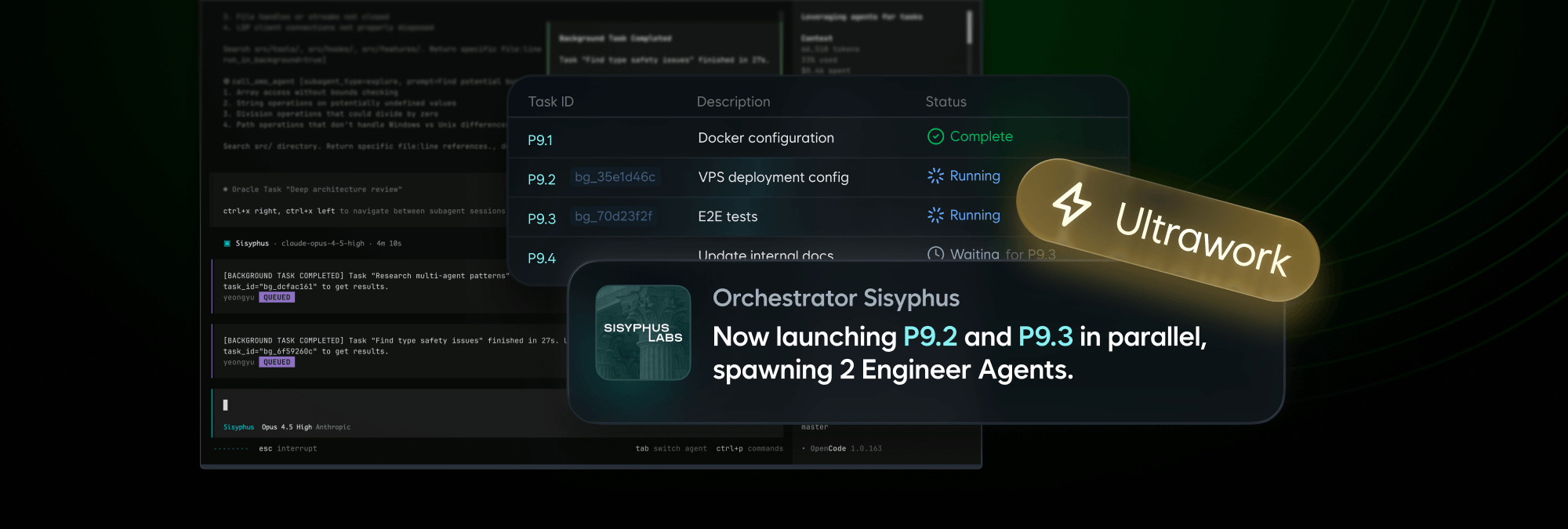
A batteries-included orchestration layer for OpenCode that adds specialized agents, hooks, MCPs, and workflow automation.
Table of Contents
- What is Oh My OpenCode?
- Official Links
- Installation
- Core Features
- Agents
- Hooks
- MCPs
- LSP Support
- Most Used Plugins
- Configuration
- Use Cases
- Comparison with OpenCode
- Troubleshooting
- Further Reading
What is Oh My OpenCode?
Oh My OpenCode is an orchestration plugin that sits on top of OpenCode, wrapping it with opinionated agents, hooks, MCPs, and configuration defaults. It transforms OpenCode into a production-ready agent harness with:
- Specialized agents for different development tasks (planning, exploration, documentation)
- 20+ automation hooks for context management and session recovery
- Pre-configured MCPs for docs and code search
- LSP integration with sensible defaults for common languages
- Multi-agent workflows that understand complex project structures
In essence, Oh My OpenCode does the heavy lifting of configuring a reliable AI coding workflow so you don't have to.
Official Links
- Website: https://ohmyopenagent.com
- GitHub: https://github.com/code-yeongyu/oh-my-openagent
- Documentation: https://ohmyopenagent.com/installation/
- NPM Package: https://www.npmjs.com/package/oh-my-opencode
- Discord Community: https://discord.gg/oh-my-opencode
Installation
Prerequisites
Before You Start
- Install OpenCode first:
- Ensure you have Node.js 18+ or Bun installed
Install Oh My OpenCode
Using Bun (recommended):
Using npm:
Manual installation:
Add to your OpenCode config file (~/.config/opencode/opencode.json or .opencode/opencode.json):
Verification
Core Features
Agents
Oh My OpenCode includes specialized agents designed for different tasks:
Planner-Sisyphus (Default)
The main orchestrator agent that provides intelligent planning and execution. It breaks down complex tasks into manageable steps and coordinates other agents.
Key Features:
- Task decomposition and planning
- Coordinates Librarian, Explore, and Oracle agents
- Replaces the default plan with more structured approaches
Librarian
A specialized agent for documentation and code exploration. Perfect for:
- Finding relevant code in large codebases
- Understanding code structure
- Generating documentation
Explore
Fast codebase navigation agent focused on:
- Quick grep and search operations
- File structure analysis
- Fast discovery of code patterns
Oracle
Question-answering agent that provides intelligent responses based on codebase context. Best for:
- Debugging explanations
- Architecture questions
- "Why does this work?" type queries
Prometheus (Planner)
Works alongside Sisyphus to provide:
- Task planning consultation
- Plan validation
- Strategy suggestions
Hooks
Hooks automate and enhance your workflow. Oh My OpenCode includes 20+ built-in hooks:
Context Management
| Hook | Description |
|---|---|
preemptive-compaction |
Preemptive context compaction to prevent token limits |
compaction-context-injector |
Manages context during compaction |
ralph-loop |
Ralph agent loop management |
Code Quality
| Hook | Description |
|---|---|
comment-checker |
Validates code comments |
thinking-block-validator |
Validates thinking blocks in responses |
empty-message-sanitizer |
Cleans empty messages |
Output Management
| Hook | Description |
|---|---|
tool-output-truncator |
Manages tool output sizes |
grep-output-truncator |
Truncates large grep outputs |
keyword-detector |
Detects keywords in conversations |
Workflow Automation
| Hook | Description |
|---|---|
directory-agents-injector |
Injects directory-specific agents |
directory-readme-injector |
Adds README context automatically |
rules-injector |
Injects custom rules |
claude-code-hooks |
Claude-specific hooks |
Notifications & Updates
| Hook | Description |
|---|---|
startup-toast |
Shows startup notifications |
auto-update-checker |
Checks for updates automatically |
background-notification |
Background notifications |
Environment Handling
| Hook | Description |
|---|---|
interactive-bash-session |
Manages interactive sessions |
non-interactive-env |
Handles non-interactive environments |
anthropic-context-window-limit-recovery |
Handles Anthropic limits |
Model Context Protocol (MCPs)
MCP integration provides enhanced capabilities through external tools:
Context7 (Enabled by Default)
Fetches up-to-date official documentation for libraries and frameworks. Ensures you always have access to the latest API references.
Configuration:
grep.app (Enabled by Default)
Ultra-fast code search across millions of public GitHub repositories. Perfect for finding similar implementations or examples.
Configuration:
Other Popular MCPs
| MCP Server | Purpose | Use Case |
|---|---|---|
filesystem |
File system operations | Read/write files, directory management |
github |
GitHub integration | Issues, PRs, repo management |
playwright |
Browser automation | Testing, web scraping |
brave-search |
Web search | Research, documentation lookup |
supabase |
Database operations | Analytics, queries |
postgres |
PostgreSQL integration | Database management |
notion |
Notion workspace | Documentation, notes |
linear |
Issue tracking | Project management |
slack |
Slack integration | Team notifications |
LSP Support
Full Language Server Protocol support with refactoring tools:
Features:
- Priority management for multiple servers
- Custom LSP server configuration
- Refactoring tools (rename, code actions)
- Code analysis and type checking
Supported Languages:
- TypeScript/JavaScript (tsserver)
- Python (pyright, pylsp)
- Rust (rust-analyzer)
- Go (gopls)
- And many more via custom LSP servers
Most Used Plugins
1. Oh My OpenCode (Orchestration)
GitHub: https://github.com/code-yeongyu/oh-my-openagent
The main orchestration plugin. Ships with agents, hooks, MCPs, and LSP defaults configured out of the box.
2. opencode-prompts
GitHub: https://github.com/minipuft/opencode-prompts
Adds chain tracking, gate reminders, and state preservation for prompt engineering workflows.
Features:
- Gate enforcement for step validation
- Chain progress tracking (
Step 2/4) - State preservation across sessions
3. open-reload
GitHub: https://github.com/veemex/open-reload
Hot-reload MCP meta-plugin for development. Watches plugin files and dynamically reloads tools at runtime.
Features:
- Live tool updates without restart
- Plugin development workflow
- Context threading
4. opencode-mcp
GitHub: https://github.com/AlaeddineMessadi/opencode-mcp
MCP server that bridges OpenCode to other AI tools. Gives Claude, Cursor, and VS Code access to OpenCode's capabilities.
Features:
- 79 tools
- Multi-project support
- Auto-start capability
5. Helicone (Session Logging)
npm: opencode-helicone-session
Session logging and analytics plugin for OpenCode.
6. WakaTime (Productivity Tracking)
npm: opencode-wakatime
Automatic time tracking for your OpenCode sessions.
7. MCP Servers (1,200+ Available)
The MCP ecosystem offers 1,200+ servers including:
| Category | Popular Servers |
|---|---|
| Browser | Playwright, Puppeteer |
| Database | PostgreSQL, Supabase, SQLite |
| Search | Brave Search, Google Search |
| Communication | Slack, Discord, Linear |
| Cloud | AWS, GCP, Azure |
| Development | GitHub, GitLab, Docker |
Browse the full ecosystem at:
- https://github.com/modelcontextprotocol/servers
- https://github.com/wong2/awesome-mcp-servers
- https://mcp-awesome.com
Configuration
Configuration Files
Oh My OpenCode looks for configuration in this order:
.opencode/oh-my-openagent.json(project-specific, highest priority)~/.config/opencode/oh-my-openagent.json(user-wide)
Example Configuration
{
  // Agent configuration
  "agents": {
    "planner-sisyphus": {
      "enabled": true,
      "replace_plan": true,
    },
    "librarian": {
      "enabled": true,
    },
    "explore": {
      "enabled": true,
    },
  },

  // Disable specific hooks
  "disabled_hooks": ["comment-checker", "startup-toast"],

  // Disable specific MCPs
  "disabled_mcps": [],

  // LSP configuration
  "lsp": {
    "typescript-language-server": {
      "command": ["typescript-language-server", "--stdio"],
      "extensions": [".ts", ".tsx"],
      "priority": 10,
    },
  },

  // Experimental features
  "experimental": {
    "preemptive_compaction_threshold": 0.85,
    "truncate_all_tool_outputs": true,
  },
}
Plugin-Specific Configuration
You can also create oh-my-openagent.json files for specific plugins:
Use Cases
Monorepos
Oh My OpenCode understands multi-repo layouts and can coordinate changes across packages.
Complex Build Pipelines
Configure custom build systems and have the agent understand your entire pipeline.
Team Workflows
Share oh-my-openagent.json in your repo so the entire team uses the same setup.
Documentation Projects
Use the Librarian agent for docs-heavy projects and Hugo/React/Vite stacks.
Large Codebases
Context management hooks prevent token blow-ups in large projects.
Comparison with OpenCode
| Feature | OpenCode | Oh My OpenCode |
|---|---|---|
| Base Functionality | Core AI coding agent | Orchestration layer on top |
| Agents | Single default agent | Sisyphus, Librarian, Explore, Oracle |
| Hooks | Basic plugin hooks | 20+ built-in workflow hooks |
| MCPs | Manual configuration | Pre-configured Context7, grep.app |
| LSP | Manual setup | Sensible defaults included |
| Planning | Basic task execution | Structured task planning |
| Setup Time | Higher (manual config) | Lower (batteries included) |
When to use plain OpenCode:
- You prefer minimal configuration
- You need only basic coding assistance
- You want to configure everything yourself
When to use Oh My OpenCode:
- You want reliable defaults out of the box
- You work with complex projects
- You need multi-agent coordination
- You want automated context management
Troubleshooting
Plugin Not Loading
- Verify OpenCode version (use 1.0.133 or newer):
- Check config file syntax:
- Enable debug logging:
MCP Connection Issues
- Verify MCP is enabled in config:
- Check MCP server installation:
Hook Conflicts
Disable problematic hooks in your config:
Further Reading
Official Documentation
OpenCode Resources
MCP Ecosystem
Community Plugins
Comparisons & Reviews
Guide last updated: April 2026