OpenCode Guide
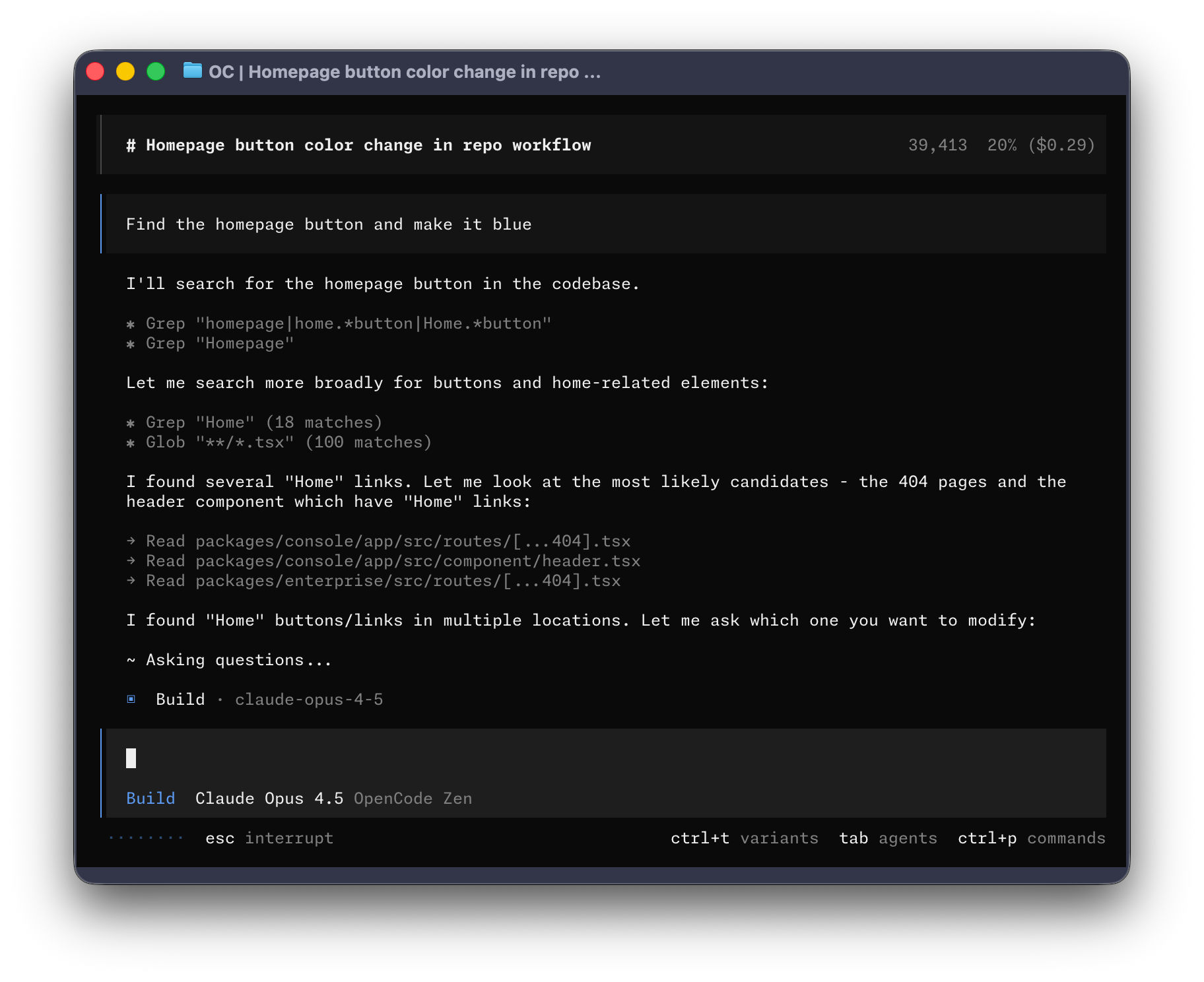
The open source AI coding agent for terminal, desktop, and IDE.
Table of Contents
- What is OpenCode?
- Official Links
- Installation
- Core Features
- Model Support
- Plugins & Extensions
- Most Used Plugins
- Configuration
- Interface Options
- Enterprise Features
- Use Cases
- Comparison
- Troubleshooting
- Further Reading
What is OpenCode?
OpenCode is an open source AI coding agent that helps developers write, debug, refactor, and understand code. It operates as a terminal-native interface with optional desktop app and IDE extensions.
Key Statistics
| Metric | Value |
|---|---|
| GitHub Stars | 140K+ |
| Contributors | 850+ |
| Monthly Developers | 6.5M+ |
| Commits | 11,000+ |
| License | MIT / Apache 2.0 |
Core Philosophy
- 100% Open Source — Complete transparency with MIT license
- Provider Agnostic — Works with Claude, OpenAI, Google, or local models
- Privacy First — No code or context stored on servers
- Local-First — Run locally with optional cloud services
Official Links
- Website: https://opencode.ai
- GitHub: https://github.com/anomalyco/opencode
- Documentation: https://opencode.ai/docs
- Zen (Curated Models): https://opencode.ai/zen
- Enterprise: https://opencode.ai/enterprise
- Discord: https://opencode.ai/discord
- Desktop App: https://opencode.ai/download
Installation
Prerequisites
Requirements Before You Start
- A modern terminal emulator (WezTerm, Alacritty, Ghostty, or Kitty recommended)
- API keys for your preferred LLM provider(s)
- Node.js 18+ (required for MCP servers and plugins)
Node.js Installation (Common "Foot Guns" to Avoid)
Common Mistakes to Avoid
| ❌ Don't Do This | ✅ Do This Instead |
|---|---|
sudo apt install nodejs (Ubuntu - installs ancient Node) |
Use mise, fnm, n, or nvm |
Rely on source ~/.nvm/nvm.sh manually |
Use mise or fnm (auto-loads) |
| Assume Node persists across terminals | Test in a NEW terminal |
| Use different Node versions per project | Use a version manager |
Recommended: mise (Best for OpenCode Users)
mise is a "tool runner" that manages Node, Python, Go, etc. - persistent and project-aware.
# Install mise (if you have curl or build from source)
curl https://mise.run | sh

# Add to shell config (~/.zshrc or ~/.bashrc):
echo 'eval "$(mise activate zsh)"' >> ~/.zshrc

# Install Node via mise
mise use -g node@lts

# Verify (open NEW terminal)
node --version
Distrobox Users
If you're using distrobox to develop in a different distribution, be aware that mise-installed packages (like Node.js tools via mise use -g node@lts) can sometimes conflict with packages installed in the host distribution's package manager. For example, tools installed globally via pipx on the host may not be accessible inside the container, or vice versa. This is because distrobox shares the host's home directory but uses the container's binary paths. If you encounter issues, consider whether you're running tools from the host or the container — consistency is key.
Alternative: fnm (Fast Node Manager)
# Install fnm
curl -fsSL https://fnm.vercel.app/install | bash

# Add to shell config:
echo 'source $(fnm env --shell-only)' >> ~/.zshrc

# Install LTS
fnm install --lts
fnm default lts-latest

# Verify (new terminal)
node --version
Alternative: pnpm + corepack
If you already use pnpm, enable corepack (comes with Node 18+):
# Enable corepack (enables pnpm without separate install)
corepack enable

# This gives you pnpm AND the right Node version for pnpm
pnpm --version
Quick Verification
How to Verify
- Open a BRAND NEW terminal (not the same one)
- Run:
Both should show versions. If errors → Node not persistent.
Why This Matters for MCP
MCP servers run as subprocesses. If Node isn't persistent:
- MCP tools fail silently or hang
npxcommands don't work- Plugin loading fails
Install via Script (Recommended)
Quick Install (Recommended)
# Official install script (recommended)
curl -fsSL https://opencode.ai/install.sh | sh

# Alternative URL (also works)
curl -fsSL https://opencode.ai/install | bash
Package Managers
Using Node.js:
npm install -g opencode-ai   # npm
bun install -g opencode-ai   # bun
pnpm install -g opencode-ai  # pnpm
yarn global add opencode-ai  # yarn
Using Homebrew (macOS/Linux):
Using Arch Linux:
Using Go:
Windows Installation
Using Chocolatey:
Using Scoop:
Using Docker:
Using WSL (Recommended): OpenCode works best on Windows through WSL (Windows Subsystem for Linux).
Desktop App
Download the beta for macOS, Windows, and Linux:
Core Features
1. Terminal User Interface (TUI)
OpenCode's primary interface is a terminal-based UI with:
- Session management
- File browsing
- Real-time code editing
- Multi-session support
- Theme customization
2. Plan and Build Modes
Plan Mode (Tab key):
- Analyzes and explains code
- Creates implementation plans
- No code changes made
- Perfect for reviewing before building
Build Mode (Tab key):
- Executes code changes
- Makes file edits
- Runs tests and commands
3. LSP Integration
Auto-loads Language Server Protocol servers for:
- Real-time type checking
- Code navigation (Go to Definition, Find References)
- Refactoring tools
- Diagnostics
Supported Languages:
- TypeScript/JavaScript (tsserver)
- Python (Pyright, Pylsp)
- Rust (rust-analyzer)
- Go (gopls)
- And many more via custom LSP servers
4. Git Integration
GitHub Integration:
- Trigger via
/opencodecomments in issues and PRs - Execute in GitHub Actions runners
- Automatic commit messages
GitLab Integration:
- Merge request comments
- CI/CD integration
5. Share Sessions
Share conversation links with your team:
Creates a link to the current conversation for collaboration and review.
6. Multi-Session
Run parallel agents on the same project:
- Multiple independent sessions
- Shared context when needed
- Share links for each session
7. Model Context Protocol (MCP)
Connect to 1,200+ MCP servers for extended capabilities:
- Database access
- External tools
- API integrations
- Browser automation
8. File Watching
Auto-reload and respond to file changes:
- Real-time updates
- Build on save
- Test on change
Model Support
75+ LLM Providers
OpenCode connects to virtually any LLM via Models.dev:
| Category | Providers |
|---|---|
| Cloud APIs | OpenAI, Anthropic, Google, Mistral, Cohere |
| Local Models | Ollama, LM Studio, LocalAI |
| Subscriptions | GitHub Copilot, ChatGPT Plus/Pro |
| Routers | OpenRouter, Models.dev |
| Open Models | Hugging Face (17+ providers) |
Hugging Face Integration
OpenCode natively supports Hugging Face Inference Providers - giving you access to open models from 17+ providers including Hugging Face, Together AI, Hyperbolic, and more.
Quick Setup
# 1. Create token at huggingface.co/settings/tokens
#    (needs "Make calls to Inference Providers" permission)

# 2. Run auth login
opencode auth login

# 3. Select Hugging Face when prompted
#    Enter your token: hf_...

# 4. Select a model
/models
Available Models
Access to open models from multiple providers:
- Llama variants
- Qwen
- Phi
- Mistral
- GLM
- And more...
Config (Optional)
For organization billing:
{
  "$schema": "https://opencode.ai/config.json",
  "provider": {
    "huggingface": {
      "options": {
        "headers": {
          "X-HF-Bill-To": "your-org-name"
        }
      }
    }
  }
}
Resources:
Recommended Models
| Model | Best For |
|---|---|
| GPT-5.2 | General coding, speed |
| GPT-5.1 Codex | Code-heavy tasks |
| Claude Opus 4.5 | Complex reasoning |
| Claude Sonnet 4.5 | Balanced performance |
| Gemini 3 Pro | Long context tasks |
| Big Pickle | Free tier |
OpenCode Zen
A curated list of tested and verified models:
- Benchmarked specifically for coding agents
- No performance downgrade or routing to cheaper models
- Pay-as-you-go pricing
- Team workspace management
Free Models:
- GLM 4.7 Free
- Big Pickle Free
- MiniMax M2.1 Free
Plugins & Extensions
Plugin System
OpenCode's plugin system allows hooking into various events and customizing behavior.
Loading Plugins
From local files:
From npm:
Plugin Events
OpenCode supports 20+ events for plugins:
| Category | Events |
|---|---|
| Command | command.executed |
| File | file.edited, file.watcher.updated |
| Session | session.created, session.compacted, session.deleted, session.diff, session.error, session.idle |
| Tool | tool.execute.before, tool.execute.after |
| LSP | lsp.client.diagnostics, lsp.updated |
| TUI | tui.prompt.append, tui.command.execute, tui.toast.show |
| Permission | permission.asked, permission.replied |
| Shell | shell.env |
| Server | server.connected |
| Todo | todo.updated |
| Installation | installation.updated |
Built-in Tools
| Tool | Description |
|---|---|
bash |
Execute shell commands |
read |
Read files with glob support |
edit |
Apply string replacements |
write |
Write content to files |
grep |
Search file contents |
glob |
Find files by pattern |
lsp |
Language server queries |
apply_patch |
Apply patches |
skill |
Load skill documentation |
todowrite |
Manage todo lists |
webfetch |
Fetch web content |
websearch |
Search the web |
question |
Ask user questions |
Custom Tools
Plugins can add custom tools via the tool helper:
import { tool } from "@opencode-ai/plugin";

export const MyTool = tool({
  name: "my_tool",
  description: "A custom tool",
  parameters: z.object({
    foo: z.string(),
  }),
  execute: async (args, ctx) => {
    return `Hello ${args.foo}`;
  },
});
Most Used Plugins
1. Oh My OpenCode
GitHub: https://github.com/code-yeongyu/oh-my-openagent
Orchestration layer with specialized agents, hooks, MCPs, and workflow automation.
Features:
- Planner-Sisyphus agent
- 20+ automation hooks
- Pre-configured Context7 and grep.app MCPs
- LSP defaults
2. OpenCode Swarm
GitHub: https://github.com/zaxbysauce/opencode-swarm
Architect-centric agentic swarm with 11 specialized agents.
Features:
- Hub-and-spoke orchestration
- Gated pipeline (code needs reviewer + test engineer approval)
- 11 specialized agents
- SAST and secrets scanning
- 11 language support
- Free tier available
3. opencode-prompts
GitHub: https://github.com/minipuft/opencode-prompts
Chain tracking, gate reminders, and state preservation for prompt engineering.
Features:
- Gate enforcement
- Chain progress tracking
- State preservation
- Shell verify tracking
4. open-reload
GitHub: https://github.com/veemex/open-reload
Hot-reload MCP meta-plugin for development.
Features:
- Live tool updates without restart
- Plugin development workflow
- Context threading
5. opencode-mcp
GitHub: https://github.com/AlaeddineMessadi/opencode-mcp
MCP server bridging OpenCode to other AI tools.
Features:
- 79 tools
- Multi-project support
- Auto-start capability
6. opencode-ecc (Everything Claude Code)
GitHub: https://github.com/affaan-m/everything-claude-code
Complete Claude Code compatibility for OpenCode.
Features:
- 12 specialized agents
- 24 commands
- 16 skills
- Hook system parity
7. Session & Analytics Plugins
| Plugin | Purpose |
|---|---|
opencode-helicone-session |
Session logging and analytics |
opencode-wakatime |
Automatic time tracking |
8. MCP Servers (1,200+ Available)
| Category | Popular Servers |
|---|---|
| Browser | Playwright, Puppeteer |
| Database | PostgreSQL, Supabase, SQLite |
| Search | Brave Search, Google Search |
| Communication | Slack, Discord, Linear, Notion |
| Cloud | AWS, GCP, Azure |
| Development | GitHub, GitLab, Docker |
| Memory | Memory (context persistence) |
Resources:
- https://github.com/modelcontextprotocol/servers
- https://github.com/wong2/awesome-mcp-servers
- https://mcp-awesome.com
Configuration
Configuration Files
| Location | Priority | Purpose |
|---|---|---|
./opencode.json |
1st | Project directory |
~/.config/opencode/opencode.json |
2nd | XDG config directory |
~/.opencode.json |
3rd | Home directory |
Note: Config file locations (verified 2026):
- $HOME/.opencode.json
- $XDG_CONFIG_HOME/opencode/.opencode.json
- ./.opencode.json (local directory)
Basic Configuration
{
  "$schema": "https://opencode.ai/config.json",
  "model": "anthropic/claude-sonnet-4-20250514",
  "permission": {
    "bash": "allow",
    "read": "allow",
    "edit": "allow"
  }
}
Advanced Configuration
{
  "$schema": "https://opencode.ai/config.json",
  "model": "opencode/gpt-5.1-codex",
  "provider": {
    "openai": {
      "models": {
        "gpt-5": {
          "options": {
            "reasoningEffort": "high",
            "textVerbosity": "low",
          },
        },
      },
    },
  },
  "plugin": ["oh-my-openagent"],
  "mcp": {
    "enabled": true,
  },
  "permission": {
    "bash": "allow",
    "mcp_*": "ask",
  },
}
Provider Setup
Connect to providers using the /connect command:
Then:
- Sign in to your provider
- Add billing details
- Copy API key
- Paste into terminal
Interface Options
1. Terminal (TUI)
The primary interface with full features:
- Interactive chat
- Session management
- File editing
- Real-time output
2. Desktop App
Beta available for:
- macOS
- Windows
- Linux
Download: https://opencode.ai/download
3. IDE Extensions
Available for:
- VS Code
- Cursor
- Zed
- Windsurf
- VSCodium
4. Web Interface
Access via browser at:
5. ACP (Agent Coding Protocol)
Connect to ACP-compatible editors for deep IDE integration.
Enterprise Features
Privacy-First Architecture
- No code or context stored on OpenCode servers
- Local-first operation
- Self-hosting options
- BYOK (Bring Your Own Key) model
Enterprise Deployment
| Feature | Description |
|---|---|
| Self-Hosted | Run entirely on your infrastructure |
| Custom Providers | Use your own LLM infrastructure |
| Privacy Controls | Data never leaves your environment |
| SSO Support | Enterprise authentication |
Zen for Teams
- Invite teammates
- Assign roles (Admin, Member)
- Curate model access
- Monthly spending limits
- Shared API keys
Use Cases
OpenCode serves different types of users, from developers to non-programmers.
Developer Use Cases
Code Review and Analysis
# Review code for security issues
opencode run "Review src/auth.ts for security issues"

# Analyze code architecture
opencode run "Explain the architecture of the middleware system"

# Find all TODO comments in the project
opencode run "Find all TODO comments and create a summary"
Scaffolding New Features
# Initialize repository context first
opencode init

# Then scaffold a new feature with handler, validation, and tests
opencode run "Add a new POST /api/widgets endpoint with handler, validation, and tests"
Large-Scale Refactoring
# Rename a function across all files
opencode run "Rename getUserProfile to fetchUserProfile and update all imports and docs"
Test-Driven Development (TDD)
# Create failing test first, then implement
opencode run "Run npm test. Read the failure. Implement the code in feature.ts to make the test pass"
Debugging
# Find and fix bugs
opencode run "Find and fix the memory leak in the application"

# Explain error messages
opencode run "Explain what this error means in context of our codebase"
Documentation Maintenance
# Update outdated documentation
opencode run "Read all exported functions in src/api. Update docs/API.md to match the current signatures"
Language Migration
# Convert React class components to hooks
opencode run "Read Component.jsx. Rewrite it as a Functional Component using Hooks"
Average User Use Cases (Non-Developers)
Content Creation and Marketing
# White papers, LinkedIn posts, video scripts
opencode run "Write a white paper on [topic] using the style guide in docs/writing-style.md"

# Social media content
opencode run "Create 5 tweet thread concepts for [product launch]"
Translation Work
# Translate documents
opencode run "Translate the content in jp/ folder to English following the style in TRANSLATION_NOTES.md"
Data Analysis and Reporting
# Analyze data and generate reports
opencode run "Analyze parcel data in data/ and generate summary report with trends"
File Organization
# Organize downloads folder
opencode run "Organize the downloads folder: put movies in Movies/, TV shows in TV/"
Excel and Spreadsheet Work
# Generate formulas
opencode run "Create a formula in column D that calculates the sum of columns A and B"
Common Real-World Examples
Legacy Code Refactoring
CI/CD Automated Code Review
# .github/workflows/opencode-review.yml
name: opencode-review
on: [pull_request]
jobs:
  opencode:
    runs-on: ubuntu-latest
    steps:
      - uses: actions/checkout@v4
      - name: Run OpenCode
        uses: anomalyco/opencode/github@latest
        with:
          model: anthropic/claude-sonnet-4-20250514
          prompt: "Code review for the PR changes"
GitHub Issue Triage
# In a GitHub issue comment
/opencode explain this issue

# In a GitHub PR comment
/opencode fix this
Database Operations via MCP
Slack Bot Integration
Connect OpenCode to Slack for team questions like:
- "Where is the retry logic for payment processing?"
- "Summarize what changed in the last sprint"
Workflow Patterns
Plan/Build Pattern (Recommended)
- Start in Plan mode (
Tabkey) to outline approach - Review and refine the plan
- Switch to Build mode to implement
Agent Mode (Autonomous)
Best for: Project setup, large refactors, debugging, testing, code migration.
Comparison
OpenCode vs Claude Code
| Feature | OpenCode | Claude Code |
|---|---|---|
| GitHub Stars | 140K+ | 20K+ |
| License | MIT | Proprietary |
| Provider Support | 75+ providers | Anthropic only |
| Plugin System | 20+ events | 3 phases |
| Interface | TUI, Desktop, IDE | CLI only |
| Pricing | Free + optional Zen | Uses Anthropic API |
OpenCode vs Cursor
| Feature | OpenCode | Cursor |
|---|---|---|
| Focus | Terminal-native | IDE-centric |
| Model Support | Any provider | Custom models |
| Open Source | Yes | Partial |
| Price | Free | $20/mo+ |
When to Use OpenCode
- You want full control over your models
- You prefer terminal-based workflows
- You need cross-platform consistency
- You value open-source software
- You want to avoid vendor lock-in
Troubleshooting
Installation Issues
Verify installation:
Update OpenCode:
Configuration Issues
Check config syntax:
# Config locations checked in priority order:
cat ~/.opencode.json                    # Home directory
cat ~/.config/opencode/opencode.json  # XDG config directory
cat ./opencode.json                # Project directory
Validate JSON:
Provider Issues
Check API key:
Test connection:
Plugin Issues
Verify plugin loading:
Debug mode:
Performance Issues
Clear cache:
Check logs:
Further Reading
Official Documentation
Model Resources
Community Resources
Plugin Resources
Comparisons
Research & Reviews
Guide last updated: April 2026