Oh My OpenAgent Guide
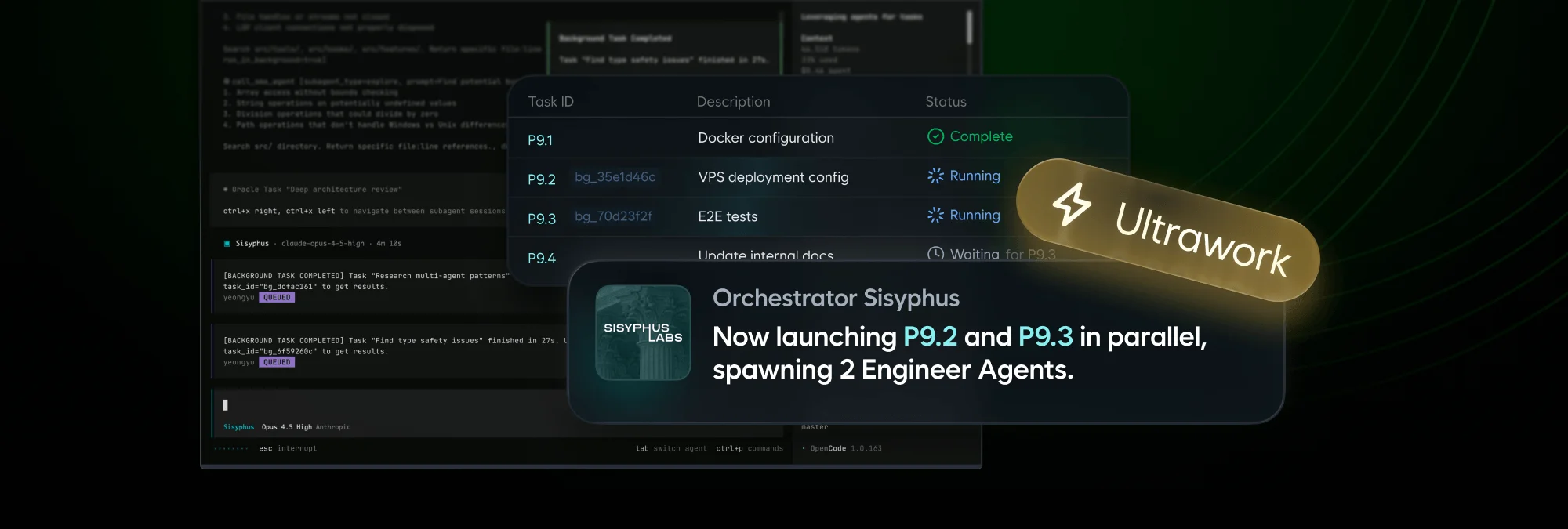
There is a familiar moment in an AI coding project: the basic chat works, but every new repository needs the same rules, delegation prompts, and tool setup. An orchestration layer can reduce that repetition—but it can also make the system harder to explain when something goes wrong. My recommendation is to earn that complexity gradually: first learn the host, then add only the capability you can evaluate.
Oh My OpenAgent (formerly associated with the Oh My OpenCode name) is a community project that adds opinionated agents, rules, hooks, skills, and MCP integrations around an agent host. It is not part of the OpenCode or OpenAI core distributions. Read the project’s current installation guide before running an installer: names, editions, defaults, and supported hosts are under active development.
This page is a decision guide, not a feature catalogue. It helps you decide whether the extra layer earns its place in your workflow and how to test it without giving up control of the repository.
Decide whether you need it
Start with plain OpenCode or Codex CLI if you are still learning the host. Add an orchestration layer when you can name the repeated problem it should solve, such as delegating repository exploration or applying shared project rules.
The trade-off is additional behavior to understand and maintain. More agents, hooks, and MCP tools also add context and permissions. OpenCode’s own MCP documentation warns that a large tool catalog can consume significant context.
The useful test is not whether the plugin looks impressive in a README. It is whether a task that matters to you becomes easier to plan, review, and repeat.
Explore the official Codex ecosystem first
Before adding a community layer, I recommend spending a little time with the native Codex documentation. It gives you a baseline for what Codex already provides, which makes the extension's value—and its extra moving parts—much easier to judge:
- Codex overview — the main map of Codex surfaces and workflows.
- Codex CLI — the terminal workflow and its command reference.
- Codex IDE extension — the editor integration, when you prefer to work inside an IDE.
- Build skills — how reusable task-specific instructions are packaged and applied.
- MCP for Codex — connecting Codex to external tools and data through the Model Context Protocol.
- Configuration reference — the settings and policy surface to review before changing defaults.
Establish a baseline
Try one small task with native Codex, note what you still need, and only then evaluate whether the extension solves that specific gap.
What you might gain
The Codex CLI Light Edition is intended to bring a portable subset of the project’s workflow into Codex. Depending on the release, that can include reusable rules, specialist agent configurations, language-server support, structural code search, comment checks, durable continuation loops, and optional team-oriented components. These are conveniences for repeated work, not replacements for understanding Codex itself.
For this project, the most interesting reasons to evaluate it are practical:
- Learn how a packaged orchestration layer composes agents and rules.
- Compare its delegation and continuation patterns with native Codex collaboration.
- Test whether it helps with skill authoring or article review.
- Extract useful patterns for future
AGENTS.mdfiles and project skills.
What you must weigh
The same layer can make a workflow harder to explain. Hooks and agents may hide why a file changed, MCP tools add context and external access, and configuration can drift as the host and extension evolve. The upstream documentation also describes an autonomous mode with broad permissions; that is not a sensible default for a first evaluation.
I would evaluate it without autonomous permissions in a disposable repository, using one bounded task and a short before-and-after record. Keep it only if it improves planning, review, or repeatability enough to justify the added complexity. If native Codex already handles the task clearly, the extension is not necessary.
Treat it as privileged software
An orchestration plugin can run commands, edit files, call external MCP servers, and send prompts to configured model providers. Review its source, permissions, telemetry policy, and release notes. Test it in a disposable repository before enabling autonomous or multi-agent modes.
Editions and naming
The upstream project currently documents separate paths for an OpenCode edition, a Codex CLI light edition, and a standalone beta edition. The package and command names are in transition, so copy the command from the current upstream installation guide rather than from a cached blog post.
Official project links:
Installation workflow
- Update OpenCode or Codex CLI first and confirm the host works without the plugin.
- Read the upstream installation guide end to end, including its uninstall, telemetry, and permissions sections.
- Choose one edition and one installation method. Avoid installing multiple similarly named packages until you understand which host each targets.
- Record the package name, version or commit, configuration paths, and enabled features in project notes.
- Start with optional features disabled; enable one capability at a time.
The upstream README currently shows this OpenCode command as its primary path:
bunx oh-my-openagent install
Treat that command as release-specific. Verify the package and requested permissions immediately before execution. Do not pipe an unfamiliar installer into a shell without first reading its source or release documentation.
Configuration principles
Keep host configuration and project policy separate. Put project-specific rules
in reviewed files such as AGENTS.md or the plugin’s documented project config;
keep personal tokens and account settings outside version control.
Use this progression:
| Stage | Enable | Review |
|---|---|---|
| Baseline | One host and one model | Normal edit, test, and rollback behavior |
| Guided | Rules and one specialist agent | Whether delegation improves results |
| Connected | One MCP server | Tool permissions, context size, and data flow |
| Autonomous | Loops or background work | Stop conditions, logs, and cost or quota exposure |
| Team | Parallel agents | File ownership, merge conflicts, and review gates |
MCP tools
MCP (Model Context Protocol) lets an agent call tools exposed by another process. Prefer a least-privilege configuration: enable only the server needed for the task, restrict credentials to the smallest scope, and disable it when finished. Ask the agent to name the MCP tool it plans to use before an action that changes external state.
Agents and hooks
Agent names, hook names, and model mappings are implementation details, not a stable API. Discover them from the installed release and keep a short local inventory. A hook that injects context or retries work can be useful, but it can also hide why a task changed files or kept running.
A safe first experiment
Use a small repository with tests and no secrets. Ask the orchestrator to:
- inspect the project and propose a plan;
- delegate read-only exploration;
- wait for your approval;
- make one bounded change;
- run the project’s checks and show the diff.
Compare this with a plain OpenCode session. Keep the plugin only if the saved time or consistency is worth the extra configuration and review burden.
Useful acceptance criteria
- Every changed file is explained.
- The agent stops at the requested boundary.
- Tests and formatters pass.
- External tools are named in the session record.
- You can disable or uninstall the plugin without losing project files.
Troubleshooting
When behavior is surprising, reduce the system before adding more settings:
- Disable the plugin and reproduce the task with the host alone.
- Re-enable only the plugin, then only the relevant agent or hook.
- Check the installed package version and current upstream changelog.
- Inspect OpenCode’s MCP status with
opencode mcp listif an external tool is involved. - Review the first error in logs; a later timeout may only be a symptom.
Avoid relying on old version thresholds or fixed feature counts. They are likely to drift as both the host and the community project evolve.
Verification
- Last reviewed: 2026-09-09
- Primary sources: the upstream Oh My OpenAgent repository and its current installation guide; OpenCode’s MCP documentation.
- Scope: project identity, installation direction, and safety guidance were checked. Package names, editions, commands, defaults, agent lists, and model mappings remain release-dependent.
Re-check the upstream guide before every upgrade or fresh installation.
If you try it, keep a short before-and-after note: what problem you wanted to solve, which feature you enabled, what improved, and what became harder to understand. That record is more valuable than a permanent claim that the plugin is “best.”